

Table of Contents
This guide is written by Simon White, Technical and Managing Director at VIEZU Technologies. Simon leads R&D at VIEZU and delivers professional tuning training at the VIEZU Technical Academy, covering platforms including WinOLS and ECM Titanium.
This guide covers Autotuner checksums explained from first principles: what a checksum actually is, how the Autotuner handles it automatically, what happens when things go wrong and why this matters far more than most new tuners realise.
What Is a Checksum in ECU Tuning?
A checksum is a mathematical value that an ECU uses to verify that a software file is complete and uncorrupted.
When the ECU manufacturer writes the original software, they run a complex calculation across the entire file. While older systems essentially ‘added up bytes,’ modern ECUs use advanced Cyclic Redundancy Checks (CRC) or RSA signatures to verify data integrity, storing the resulting value within the file itself. Every time the ECU reads its own software, it reruns the same calculation and checks whether the result matches that stored value.
| Result Matches | The ECU validates the software and the engine starts normally. |
| Result Mismatch | The ECU identifies a “corrupted” file. For safety, it triggers an immediate No-Start condition or forces the vehicle into Limp Mode. |
In car tuning, the checksum is where a lot of tuners come unstuck. You modify a map, change a fuel value and raise a boost target. The raw data in the file changes. The original checksum no longer matches. Without recalculating it, you have a file the ECU will reject.
Why Does Checksum Correction Matter So Much?
A wrong checksum does not just cause a fault code. On many ECUs, writing a file with an incorrect checksum causes a hard fault that leaves the vehicle in a non-running state. Recovering from that often requires Bench Mode or Boot Mode access. While older ECUs might require soldering, most modern units can be recovered via a direct pinout connection, provided the ECU’s bootloader hasn’t been compromised.
This is why checksum correction is not optional. It is a fundamental step in every single write and it has to happen before the file goes anywhere near a vehicle.
The challenge is that different ECU manufacturers use different checksum algorithms. Some ECUs have a single checksum covering the entire file. Others have multiple checksums, each covering different memory areas (DFlash, EFlash, EEProm) independently. Miss one, and the ECU will still reject the file.
How Autotuner Handles Checksum Correction Automatically
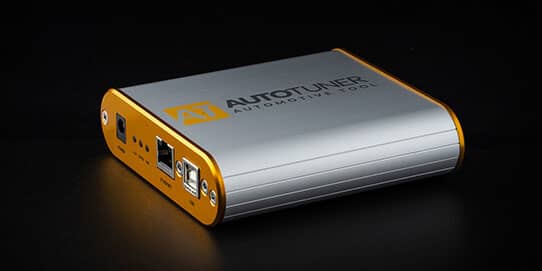
This is one of the areas where the Autotuner tool stands out.
When you use the Autotuner software to write a modified file back to an ECU, the software automatically recalculates and corrects the checksum before the write begins. You do not need to do it manually. You do not need a separate checksum correction tool. The software handles it as part of the standard write process.
For tuners using an Autotuner Slave tool, this is particularly important. The file comes back from the Master file provider already correctly structured, but the Autotuner software verifies and corrects checksums at the point of writing regardless. That is a real safety net.
For Autotuner Master users working in WinOLS, the process is slightly different. WinOLS has its own built-in checksum correction functionality and the two work together. If you modify a supported ECU file in WinOLS, the checksum plugin recalculates within the editing software. When you then use Autotuner to write, the tool performs a final integrity check. Two layers of verification.
What Happens if a Checksum Is Wrong?
The short answer: the ECU will not accept the file.
The specific result depends on the ECU. Common outcomes include:
Immediate rejection on write. The Autotuner software itself detects the mismatch before the write even starts. You will see an error message. The vehicle is untouched.
Post-write failure. On some older ECUs, the file is written but the ECU detects the mismatch on startup. The vehicle cranks but does not start.
Limp mode. Some ECUs enter a restricted running mode, logging a software integrity fault code.
Bricked ECU. Rare, but possible on certain ECUs that overwrite recovery areas. This is the scenario that requires bench recovery and is significantly more serious.
The Autotuner software’s automatic correction is designed to prevent all of the above. An incorrect checksum reaching the ECU during an Autotuner write would indicate either a corrupted file from an external source or a bug, both of which would be flagged before the write proceeds.
Checksums and ECU Memory Areas: It Gets More Complex
Modern ECUs, particularly Bosch MED17, MG1 and MD1 units common in BMW, VAG Group and Mercedes vehicles, do not have a single checksum. They have several, covering different memory areas separately.
DFlash (Data Flash) stores calibration data, which is the maps a tuner modifies. It has its own checksum.
EFlash (Program Flash) stores the main program code. Separate checksum.
EEProm stores adaptation data, immobiliser coding and vehicle-specific settings. Another separate checksum.
When Autotuner reads a vehicle, it reads all three memory areas. When it writes, it recalculates all relevant checksums across those areas. It is not a single sum but a coordinated set of recalculations across multiple memory regions, which is why the automatic correction is more involved than it might first appear.
This is also why ECU editing software like EVC WinOLS with its checksum correction plugins matters for Master users. Modifying DFlash maps in WinOLS without the correct checksum plugin for that specific ECU family means the recalculation does not happen. Autotuner Tools recommends always using a correctly licensed WinOLS with the appropriate ECMEDIT2 or similar checksum modules for the ECU you are working on.
A Quick Reference: Checksum Scenarios
| Scenario | What Happens | Autotuner’s Role |
| Standard OBD write with Autotuner | Checksum auto-corrected before write | Handled automatically |
| Slave tool receiving a file from Master | Checksum verified at point of write | Handled automatically |
| Master editing in WinOLS then writing via Autotuner | WinOLS corrects during editing; Autotuner verifies on write | Double-checked |
| File from external source with incorrect checksum | Write blocked with error message | Flagged before write |
| Unsupported checksum algorithm | Manual correction required | Flagged to user |
Common Checksum Mistakes New Tuners Make
Editing a file outside WinOLS without checksum support. Some newer tuners use hex editors or basic binary tools to make changes. These tools have no checksum awareness. The result is a file that looks fine but will fail.
Assuming the file provider always corrects it. Good Master file providers recalculate checksums as standard. But if you are pulling files from less reputable sources, or if a file has been re-edited multiple times, it is worth knowing that Autotuner will catch the issue at the write stage and block it.
Confusing checksum errors with other write failures. A checksum error is specific and fixable. Confusing it with a communication error, a power drop or an ECU protection issue leads to wasted troubleshooting time. Read the error message before doing anything else.
Why This Matters for Slave Tool Users Specifically
If you are running an Autotuner Slave and sending files to a Master provider like VIEZU, the checksum process is largely invisible to you, and intentionally so. Your job is to read the vehicle correctly, send the file and write the return file. The checksum handling happens in the background.
Understanding it still matters when something goes wrong. If you receive an error during a write, knowing whether it is a checksum error, a communication drop or something else entirely means you can troubleshoot accurately and not just retry blindly.
It also matters when speaking to customers. A customer whose car does not start after a write wants an explanation. Being able to say precisely what happened, and why it did or did not affect their vehicle, is part of professional service.
Autotuner Checksums Explained FAQs
What is a checksum in car tuning?
A checksum is a mathematical value calculated from an ECU’s software file. The ECU uses it to verify the file has not been altered incorrectly. When a tuner modifies an ECU file, the checksum must be recalculated to match the new data, otherwise the ECU rejects the file.
Does Autotuner automatically correct checksums?
Yes. The Autotuner software automatically recalculates and corrects checksums as part of the write process. This applies when writing via OBD, bench or boot mode. For Master users editing files in WinOLS, the checksum correction happens within WinOLS first and Autotuner performs a final check at the point of writing.
What happens if you write an ECU file with a wrong checksum?
The outcome depends on the ECU. In most cases the ECU either rejects the file during the write, refuses to start or enters limp mode. On some ECUs, a failed write can cause the ECU to require bench recovery. Autotuner’s automatic correction is designed to prevent this from occurring.
Can you clone an ECU with AutoTuner?
Yes. ECU cloning with Autotuner involves a full read of all memory areas from the original ECU, including the checksum data, and writing that complete file to a replacement donor unit of the same type. Because you are writing the original unmodified file, checksum correction is not required in the same way. The Autotuner handles the process automatically.
What is the difference between DFlash, EFlash and EEProm checksums?
DFlash covers calibration data (the maps a tuner modifies), EFlash covers the main program code and EEProm covers adaptation and immobiliser data. Modern ECUs have separate checksums for each area. Autotuner recalculates all relevant checksums during a write, not just a single master checksum.
Do I need a subscription to keep Autotuner checksum support updated?
No. Autotuner has no subscription fees. All software updates, including new checksum algorithms for new ECUs, are free for the lifetime of the tool. When a new protocol is added, the checksum handling for that ECU is included automatically.
What is the downside of chip tuning?
Done correctly with proper tooling and quality files, chip tuning is safe and reliable. The main risks come from poor quality files, incorrect checksum handling, power supply failures during a write or attempting to tune ECUs outside the tool’s supported protocol list. Using a professional tool like Autotuner with automatic checksum correction and a reputable file provider like VIEZU removes most of these risks.
Ready to Start Tuning with Confidence?
Autotuner Tools, a division of VIEZU Technologies, is one of the largest worldwide resellers of the Autotuner tool. Every purchase includes a 5-year warranty, a free training session and access to live technical support seven days a week.
If you are just starting out, the Autotuner Slave tool is the recommended entry point, linked to VIEZU’s professional file writing service with all checksum handling managed automatically.
For questions about the tool, training or getting set up, call us on +44 (0) 1789 774444 or contact us.